There is a Session Id assigned to each connection to SQL Azure. Session Id may be very useful in debugging and can be logged by the developers. In this article, I will show “How could fetch Session Id programmatically?
First step to create a class with the properties
1. Server Name
2. Login Name
3. Password
So let us create a class called SessionID with below properties

This class will contain function to fetch the session Id. Essentially Session Id for a connection is returned using Context_Info(). We will fetch Context_Info() using SqlCommand.
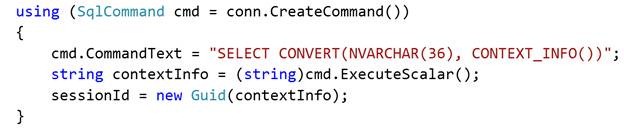
After fetching Context_Info() as string , I am converting that to Guid. Full code for SessionID class is as below,
SessionID.CS
using System;
using System.Collections.Generic;
using System.Linq;
using System.Text;
using System.Data.SqlClient;

namespace GettingSessionID
{
 public   class SessionID
 {
 public string ServerName { get; set; }
 public string LoginName { get; set; }
 public string Password { get; set; }

public SqlConnection GetSessionId(out Guid sessionId)
 {
 sessionId = Guid.Empty;
 SqlConnectionStringBuilder builder = new SqlConnectionStringBuilder();
 builder.DataSource = string.Format("tcp:{0}.database.windows.net,1433", this.ServerName);
 builder.InitialCatalog = "master";
 builder.UserID = this.LoginName;
 builder.Password = this.Password;
 builder.Pooling = true;
 SqlConnection conn = new SqlConnection(builder.ToString());
 conn.Open();
 using (SqlCommand cmd = conn.CreateCommand())
 {
 cmd.CommandText = "SELECT CONVERT(NVARCHAR(36), CONTEXT_INFO())";
 string contextInfo = (string)cmd.ExecuteScalar();
 sessionId = new Guid(contextInfo);
 }
 return conn;
 }

}
}
In above code, I am creating connection string using SqlConnectionStringBuilder
To get the Session Id, what all you need to do is only create instance of SessionID class and call the function GetSessionId().
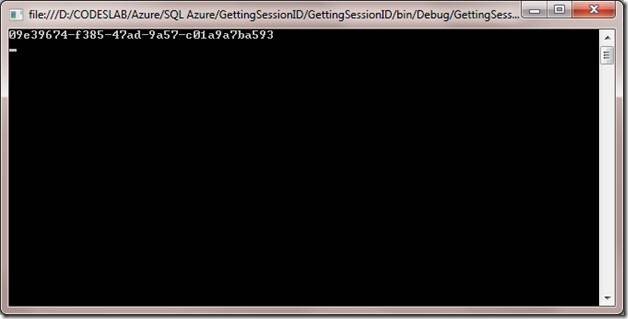
I am getting the Session Id from a console program as below. If you want you can log session id from here for debugging purpose.
Program.cs
using System;
using System.Collections.Generic;
using System.Linq;
using System.Text;

namespace GettingSessionID
{
 class Program
 {
 static void Main(string[] args)
 {
 SessionID session = new SessionID { ServerName = "Your SQL Azure Database server Name", Password = "Your SQL Azure Password", LoginName = "Your SQL Azure Login" };
 Guid sessionId;
 session.GetSessionId(out sessionId);
 Console.WriteLine(sessionId.ToString());
 Console.ReadKey(true);
 }
 }
}
Expected output would be,
Discover more from Dhananjay Kumar
Subscribe to get the latest posts sent to your email.
 Dhananjay Kumar
One thought on “Getting Session ID in SQL Azure programmatically”