While working on an application, I had to commit changes to local Git Repository. It was usual task and I started with following command,
git add –A
To surprise git add command gave me error as shown in image below. Error message was clear that to a particular file there was Permission denied.

Note: I was working on a MVC application which had local database attached. Name of database was MoviesRTM.mdf.
I tried to commit using Visual Studio 2013 as well. Here also I got same error as shown in image below,
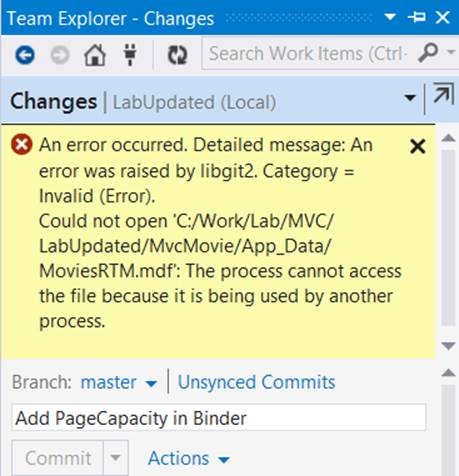
This can be solved by two ways either shutting down IIS Express or restarting Visual Studio. I was using IIS Express to host MVC application. You can shut down IIS Express by right click on IIS Express and click on Exit from context menu.

If this option is not working then try restarting Visual Studio.
Note: Restarting Visual Studio or Shutting down IIS Express may worked in this scenario because permission denies error was on a database file (extension mdf). And database was locally created.
After shutting down I was able to run git add command successfully.
Happy coding.
Discover more from Dhananjay Kumar
Subscribe to get the latest posts sent to your email.
 Dhananjay Kumar
Thank you very much , your solution is working for me.
I was working on a Unity project and had the same error. I closed Unity and tried to commit and it worked!
Thanks!
Restart Visual Studio worked for me, thanks.