To start working with Windows Azure Storage Client Library 2.0. I created a project and tried adding reference of Windows Azure Storage Client Library 2.0 using NuGet. When I tried installing, I got following error message.
“Microsoft.Data.OData could not be resolved”
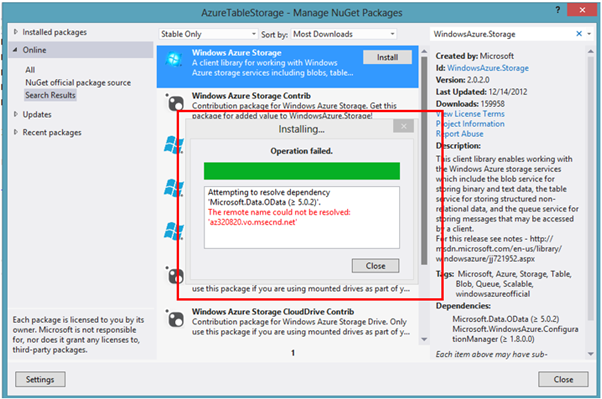
This error message is clearly saying that you need to install Microsoft.Data.OData version greater than 5.0.2 to install Windows Azure Storage Client Library 2.0. To install this in NuGet Manager Package dialog search Microsoft.Data.OData and install it.
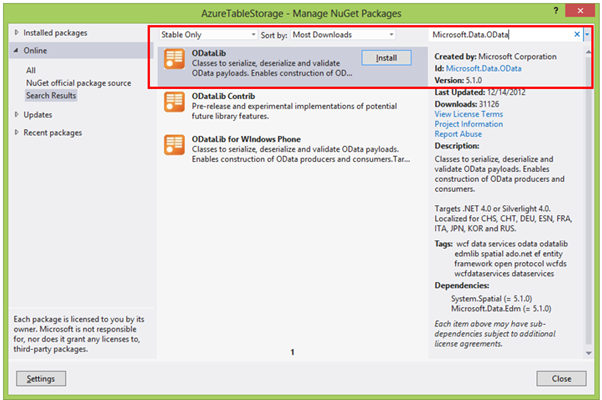
After installing this you should able to install Windows Azure Storage Client Library version 2.0 via NuGet. I hope you find this post useful. Thanks for reading.
Discover more from Dhananjay Kumar
Subscribe to get the latest posts sent to your email.
 Dhananjay Kumar