You can come across requirement when you need to disable hardware back button in Windows Phone 7.
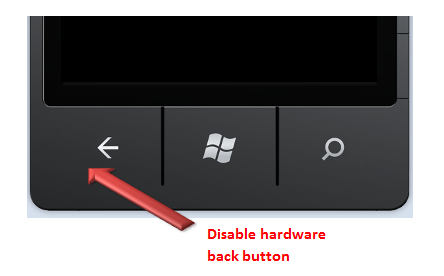
If you want to disable hardware back button on Page1 then you need to override OnBackKeyPress method on Page1.

To disable you need to make CancelEventArgs value to cancel as given below,

If you want you can display a message to user when users try to navigate from back button. For your reference to disable back button code is given below.
using System.Windows;
using Microsoft.Phone.Controls;

namespace PhoneApp1
{
public partial class SecondPage : PhoneApplicationPage
{
public SecondPage()
{
InitializeComponent();
}

protected override void OnBackKeyPress(System.ComponentModel.CancelEventArgs e)
{
//base.OnBackKeyPress(e);
MessageBox.Show("You can not use Hardware back button");

e.Cancel = true;
}

}
}
When run this code and try to navigate using back button, you will get a message and hardware back button will not work. You can have any other business requirement code in overridden OnBackKeyPress method as well. I hope this post is useful. Thanks for reading 
If you find my posts useful you may like to follow me on twitter http://twitter.com/debug_mode or may like Facebook page of my blog http://www.facebook.com/DebugMode.Net If you want to see post on a particular topic please do write on FB page or tweet me about that, I would love to help you.
Discover more from Dhananjay Kumar
Subscribe to get the latest posts sent to your email.


I guess, disabling hardware back button will cause problem with marketplace submission.
5.2.4.2 – Back Button: First Screen
Pressing the Back button from the first screen of an application must close the application.
http://msdn.microsoft.com/en-us/library/hh184840(v=VS.92).aspx
Yes , this is a bit dangerous and should be handled carefully .
i wish be able to disable search button. is so annoiyng. 😦