Before we will see the way to delete secondary tiles, I strongly suggest you to read these two articles
Live Tiles in Windows Phone 7.5 or Mango phone
Restore and Preserve Page State for Windows Phone 7.5 or Mango Phone
Assume we are navigating to a page called Page1.xaml from the secondary tile.
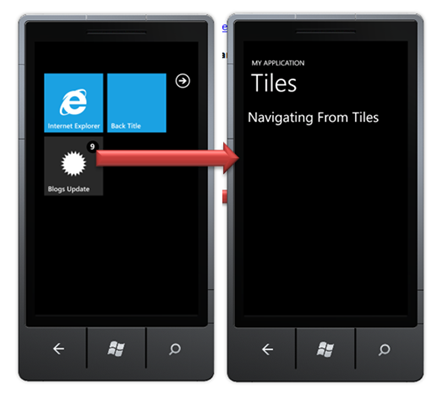
A common requirement you may come across to delete the secondary tiles once user has navigated to the application page.
Essentially you need to perform two steps
- Query for the secondary tile and delete it
- Perform delete operation on OnNavigatedTo function of application page
Function to delete the tile
private void DeleteTile()
        {
            var uri = new Uri("/Page1.xaml?state= Live Tile", UriKind.Relative);
            ShellTile tileToUpdate = ShellTile.ActiveTiles.Where(t => t.NavigationUri == uri).FirstOrDefault();
            tileToUpdate.Delete();

        }
Simply we are querying for the tile and then deleting it.
Calling it to OnNavigatedTo function
 protected override void OnNavigatedTo(System.Windows.Navigation.NavigationEventArgs e)
        {
            DeleteTile();
        }
This was all required to delete secondary tiles.
I hope this post was useful. Thanks for reading 
Discover more from Dhananjay Kumar
Subscribe to get the latest posts sent to your email.
 Dhananjay Kumar
3 thoughts on “Delete Secondary Tiles in Windows Phone 7.5 or Mango Phone”