In this post I will show you calling of Javascript function from Silverlight. It is very simple and straight forward.
Assume you have a JavaScript function on aspx page as below,
SilverlightTestPage.aspx
<script type="text/javascript" language="javascript" >
         function callmeonPageLoad() {
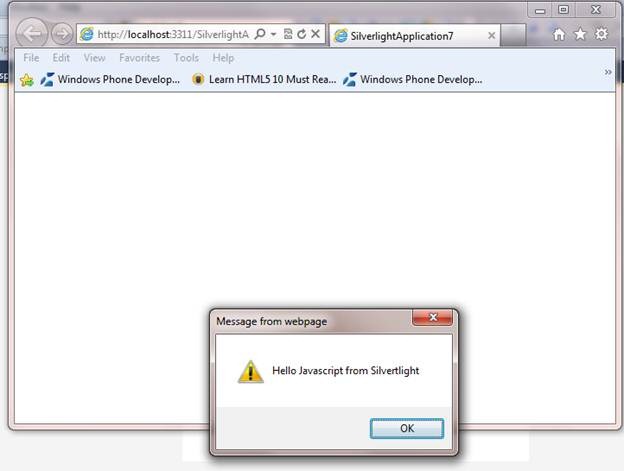
             alert("Hello Javascript from Silvertlight");
         }
    </script>
You want to call this Javascript function on page load of the Silverlight page then you will have to add namespace

And in the constructor of the page call it as below,
MainPage.xaml.cs
using System.Windows.Controls;
using System.Windows.Browser;

namespace SilverlightApplication7
{
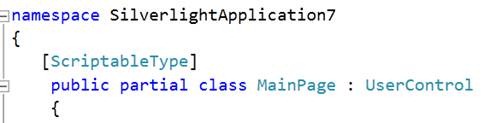
   [ScriptableType]
    public partial class MainPage : UserControl
    {
        public MainPage()
        {
            InitializeComponent();
            HtmlPage.RegisterScriptableObject("MainPage", this);
            HtmlPage.Window.Invoke("callmeonPageLoad");

        }
    }
}
If you notice above code you would find that MainPage is attributed with ScriptableType.
On running Silverlight application you will be getting output as below,
On your XAML if you have textbox like below,
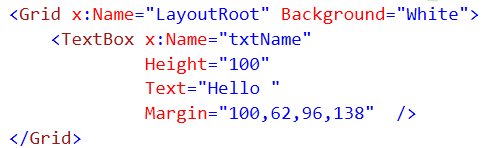
You want to access and change value of textbox txtName in Javascript then it too is very simple. Create a function Javascript as below,
SilverlightTestPage.aspx
 <script type="text/javascript">
        function UpdatingTextBoxValue(sender)
        {

            var txtBlockFromSL = sender.FindName("txtName");
            alert(txtBlockFromSL.text);
            txtBlockFromSL.Text = "Salsa ";
            alert(txtBlockFromSL.Text);


        }
</script>
txtName is name of the Silverlight text box.
And on the page load on aspx page add a param
![clip_image001[5]](https://debugmode.net/wp-content/uploads/2011/07/clip_image00152.png "clip_image001[5]")
If you have a function in managed code and you want to access that from javacript .Assume you have function as below,
MainPage.xaml.cs
  [ScriptableMember]
       public void SilverLightFunction(string txtToUPdate)
        {
            txtName.Text = txtToUPdate;
        }
You can call this function from JavaScript as below,
 <script type="text/javascript">
        function UpdatingTextBoxValue(sender)
        {


            var host = sender.GetHost();
            host.content.MainPage.SilverLightFunction("Dhananjay");


        }
</script>
This was all about various ways to work with Silverlight and JavaScript. I hope this post was useful. Thanks for reading.
Discover more from Dhananjay Kumar
Subscribe to get the latest posts sent to your email.
 Dhananjay Kumar
very useful post
Very clear
Thanks for the Simple description.
I was wondering if i could use your technique to Override the CTRL+F functionality in my Silverlight application. Could you suggest how ??