I recommend to read below post before you start reading this post
Creating Azure Table using CloudTableClient.CreateTableIfNotExist
There may be requirement when you need to insert null values for values type columns in Azure table. In our recent project, we had a requirement to insert null values for integer columns. Usually if you don’t provide any value to Integer variable, it would get initialized as 0, since they are value type’s variables. This post will focus on providing null values for integer columns
Very first you need to define and entity as below,

You may have noticed that I am making integer properties as Nullable types

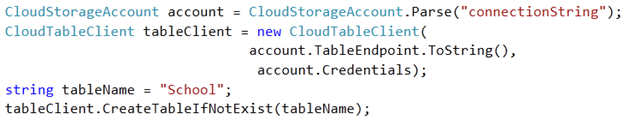
Now create Azure table as below,
Then you can insert null value for integer columns as below,

For your reference full source code to insert null values is as below,
using System;
using Microsoft.WindowsAzure;
using Microsoft.WindowsAzure.StorageClient;

namespace ConsoleApplication7
{
class Program
{
static void Main(string[] args)
{
CloudStorageAccount account = CloudStorageAccount.Parse("connectionString");
CloudTableClient tableClient = new CloudTableClient(
account.TableEndpoint.ToString(),
account.Credentials);
string tableName = "School";
tableClient.CreateTableIfNotExist(tableName);
TableServiceContext  context = tableClient.GetDataServiceContext();
SchoolEntity entity = new SchoolEntity
{
Age = null,
Name = "DJ",
PartitionKey = "S",
RollNumber  = null ,
RowKey = Guid.NewGuid().ToString()
};

context.AddObject(tableName, entity);
context.SaveChanges();

Console.WriteLine("Saved");
Console.ReadKey(true);


}
}

public class SchoolEntity : TableServiceEntity
{
public string Name { get; set; }
public int ? RollNumber { get; set; }
public int ? Age { get; set; }
}

}
In this way you can insert null values. I hope this post was useful. Thanks for reading 
If you find my posts useful you may like to follow me on twitter http://twitter.com/debug_mode or may like Facebook page of my blog http://www.facebook.com/DebugMode.Net If you want to see post on a particular topic please do write on FB page or tweet me about that, I would love to help you
Follow @debug_modeDiscover more from Dhananjay Kumar
Subscribe to get the latest posts sent to your email.
 Dhananjay Kumar
2 thoughts on “Inserting Null Value for Integer columns in Windows Azure Table”