When building conversational AI with LangChain, the way you send and receive information is through messages. Each message has a specific role, helping you shape the flow, tone and context of the conversation.
LangChain supports several message types:
- HumanMessage – represents the user’s input
- AIMessage – represents the model’s response
- SystemMessage – sets the behavior or rules for the model
- FunctionMessage – stores output from a called function
- ToolMessage – holds the result from an external tool
In this article, we’ll explore SystemMessage and learn how to use it to guide a model’s responses. System messages are used to guide the chat model’s behavior and provide important context for the conversation.
- It is a kind of instruction to the model
- It is a kind of rule set for the model
- It sets the tone of the model
They can set the tone, define the assistant’s role or outline specific rules the model should follow.
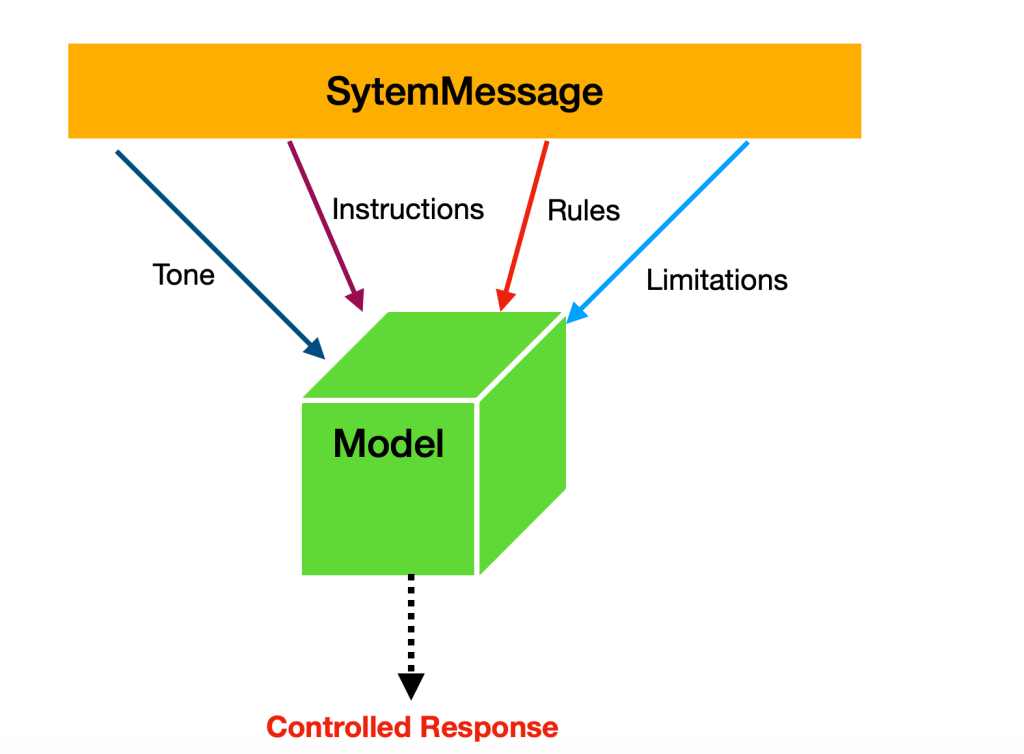
In LangChain, SystemMessage is used for the following purposes:
- Makes model responses consistent
- Sets proper boundaries and safety rules
- Gives the model a specific domain knowledge
- Controls conversation style and format
Let’s look at a quick example of using a SystemMessage. In this case, we create a string that instructs the model to provide information only for the following three cities.
Read full article here :
Thanks for reading.
Discover more from Dhananjay Kumar
Subscribe to get the latest posts sent to your email.
 Dhananjay Kumar