Objective
URL Routing is new feature in ASP.Net 4.0. This article will give a walkthrough on how to work with URL Routing and an introduction of that.
URL Routing
ASP.Net 4.0 URL Routing enables mapping between search engines optimized URL to physical web Form pages.
For example
http://localhost:36774/Products/All URL will be mapped to http://localhost:36774/AllProduct.aspx
Here the first URL is more search engine optimized. Using the routing engine ASP.Net 4.0 perform URL mapping.
Follow the below steps to see how to work with URL routing
Step 1
a. Open Visual studio
b. Create new project
c. Select ASP.Net Web Application from Web tab
d. Give any name of the project. I am giving RoutingDemo for purpose of this article.

Step 2
a. Right click on the project
b. Add a new folder

c. Give any name of your choice to the folder. I am giving name Model for purpose of this article
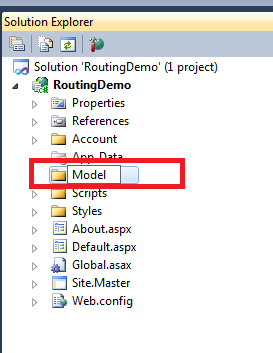
So after creating a new folder, you can see Model folder in solution explorer.
Step 3
a. Right click on Model folder and select Add new item

b. From Data tab select Linq to SQL classes . Give any name of your choice. I am giving name here NorthWindProduct for purpose of this article

c. Click on Server Explorer
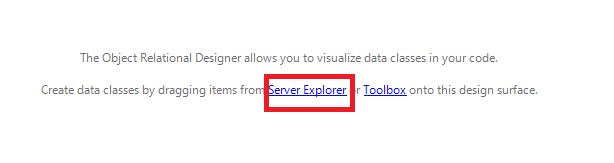
d. From the Server Explorer , right click on Data Connections and select add connection

e. Below pop window will come.
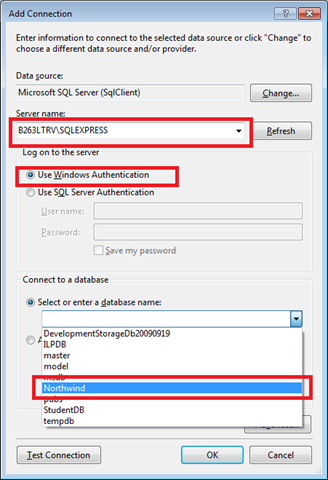
Give data base server name at first. Select the authentication mode, you use to connect to your database and then select NorthWind data base. After giving these three fields click OK.
f. From Server explorer, expand the NorthWind database connection. From table tab select Product and drag it in design surface
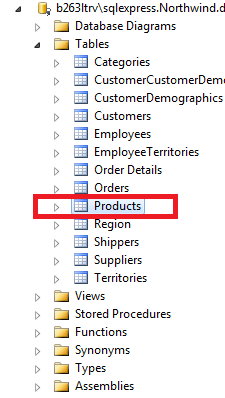
g. After dragging on the design surface NorthWindProduct.dbml file as below
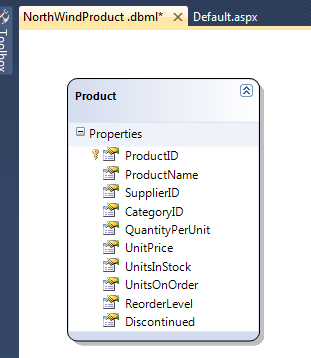
h. In solution explorer you can see inside Model folder three files. There is a NorthWindProductDataContext class inside RoutingDemo.Model name space , we will be using as data context
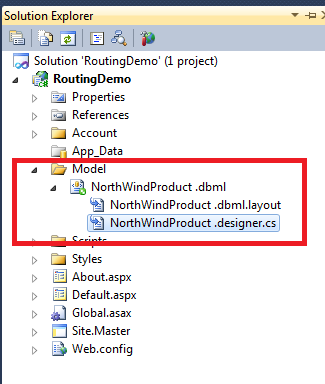
Step 4
We want to navigate to two different pages.
1. Select all Products (AllProduct.aspx) : This page will display all the Products
2. Select a particular product on basis of Product name. (ParticularProduct.aspx): This page will display product detail of given product name.
Step 4a
a. Right click on site.master in solution explorer. And add a content page
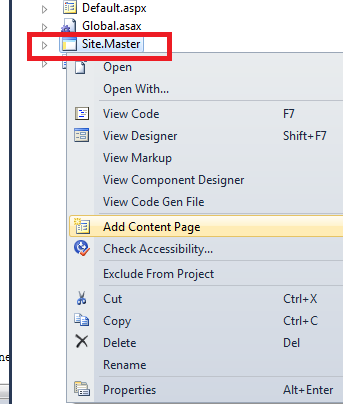
b. Now in solution explorer , you can notice you have WebForm.aspx
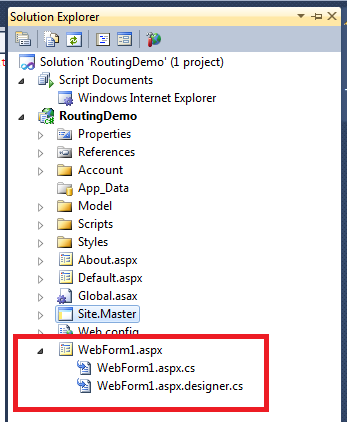
c. Right click on WebForm.aspx and rename this to AllProduct.aspx
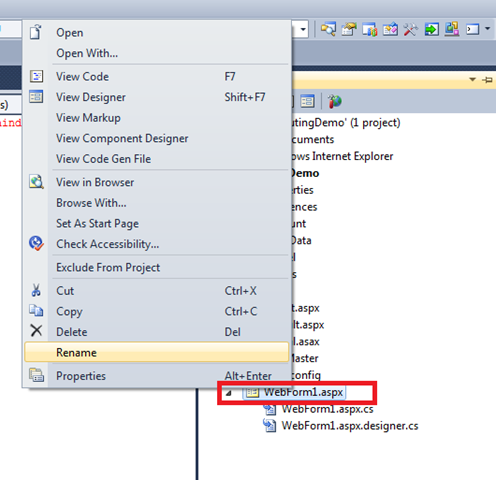
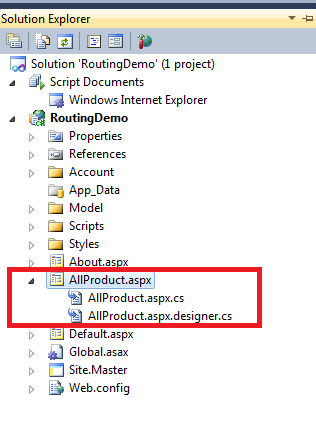
After renaming the name, you will have AllProduct.aspx in solution explorer.
Step 4B
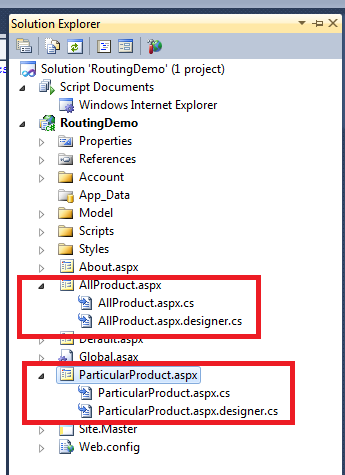
Follow the steps exactly the same as step 4A and add one more web form. Give name of this form as ParticularProduct.aspx instead of AllProduct.aspx. So now in solution explorer you can see two web forms has been added.
Step 4C
a. Open AllProduct.aspx
b. Drag GridView from Data tab of tool box and put it on AllProduct.aspx
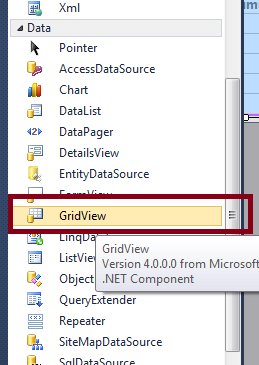
So, in design AllPrduct.aspx will look as below,
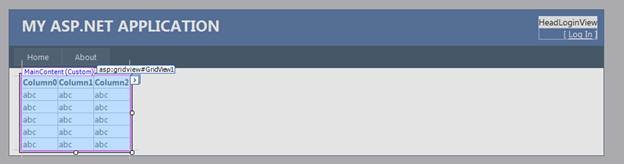
AllProduct.aspx will look like below,
<%@ Page Title="" Language="C#" MasterPageFile="~/Site.Master" AutoEventWireup="true"
CodeBehind="AllProduct.aspx.cs" Inherits="RoutingDemo.WebForm1" %>
<asp:Content ID="Content1" ContentPlaceHolderID="HeadContent" runat="server">
</asp:Content>
<asp:Content ID="Content2" ContentPlaceHolderID="MainContent" runat="server">
<asp:GridView ID="GridView1" runat="server">
</asp:GridView>
</asp:Content>
Now we need to write code to fetch data from LINQ to SQL class
AllProduct.aspx.cs
using System;
using System.Collections.Generic;
using System.Linq;
using System.Web;
using System.Web.UI;
using System.Web.UI.WebControls;
using RoutingDemo.Model;
namespace RoutingDemo
{
public partial class WebForm1 : System.Web.UI.Page
{
protected void Page_Load(object sender, EventArgs e)
{
GridView1.DataSource = Products;
GridView1.DataBind();
}
private List<Product> _Product= null ;
protected List<Product> Products
{
get
{
if (_Product == null)
{
NorthWindProduct_DataContext context = new NorthWindProduct_DataContext();
return context.Products.ToList();
}
return _Product;
}
}
}
}
Explanation of Code
1. Put the namespace

2. Crated a protected property. In getter, I am checking for data member. If it is null, then I am creating instance of NorthWindProduct and fetching all the products.
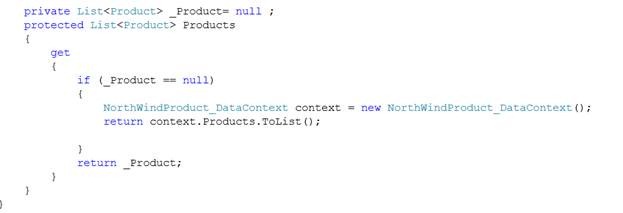
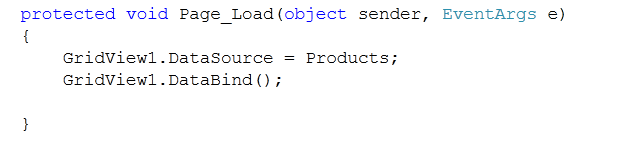
3. On page load putting the property as data source of grid view.
Step 4D
a. Open ParticularProduct.aspx
b. Drag GridView from Data tab of tool box and put it on ParticularProduct.aspx
![clip_image019[1]](https://debugmode.net/wp-content/uploads/2010/08/clip_image01911.png "clip_image019[1]")
So, in design ParticularProduct.aspx will look as below,
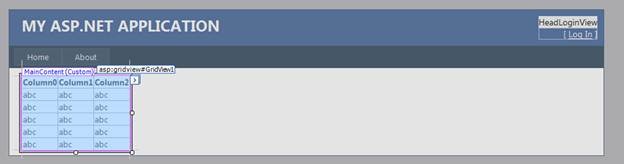
ParticularProduct.aspx will look like below,
<%@ Page Title="" Language="C#" MasterPageFile="~/Site.Master" AutoEventWireup="true"
CodeBehind="ParticularProduct.aspx.cs" Inherits="RoutingDemo.WebForm2" %>
<asp:Content ID="Content1" ContentPlaceHolderID="HeadContent" runat="server">
</asp:Content>
<asp:Content ID="Content2" ContentPlaceHolderID="MainContent" runat="server">
<asp:GridView ID="GridView1" runat="server">
</asp:GridView>
</asp:Content>
Now we need to write code to fetch data from LINQ to SQL class
ParticularProduct.aspx.cs
using System;
using System.Collections.Generic;
using System.Linq;
using System.Web;
using System.Web.UI;
using System.Web.UI.WebControls;
using RoutingDemo.Model;
namespace RoutingDemo
{
public partial class WebForm2 : System.Web.UI.Page
{
protected void Page_Load(object sender, EventArgs e)
{
GridView1.DataSource = new Model.Product[] { Products };
GridView1.DataBind();
}
private Product _Product = null;
protected Product Products
{
get
{
if (_Product == null)
{
string prdName = Page.RouteData.Values["Name"] as string;
NorthWindProduct_DataContext context = new NorthWindProduct_DataContext();
return context.Products.Where(prd => prd.ProductName.Equals(prdName)).SingleOrDefault();
}
return _Product;
}
}
}
}
Explanation of Code
1. Put the namespace
![clip_image022[1]](https://debugmode.net/wp-content/uploads/2010/08/clip_image0221.png "clip_image022[1]")
2. Crated a protected property. In getter, I am checking for data member. If it is null, then I am creating instance of NorthWindProduct and fetching product with the given name
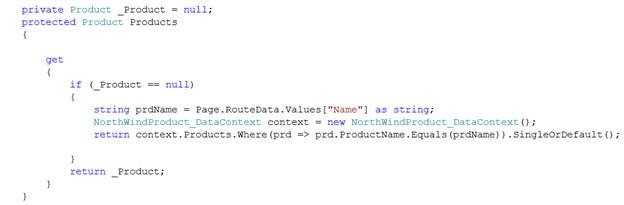
Here Name is the parameter name in the Route URL.
Step 5
Now open Global.asax
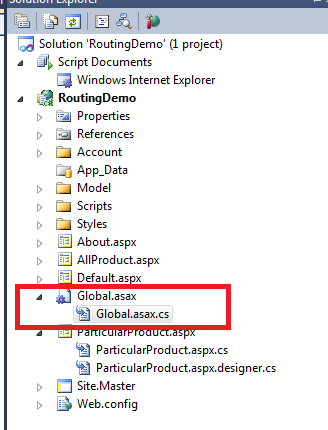
When you click on Global.ascx.cs . You will get below default code
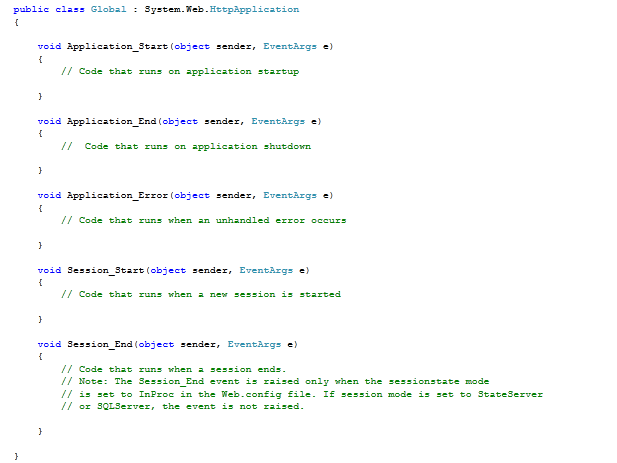
Now we need to add
1. Name space

2. Method
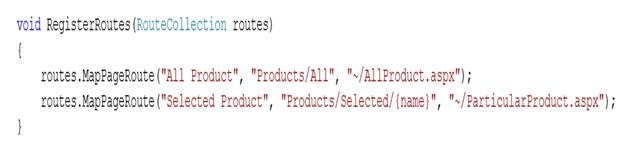
In first mapPageRoute
All Product -> name of the rule in Global.ascx
Products/All -> Routing URL
~/AllProduct.aspx -> Name of the physical aspx file.
In second mapPageRoute
Selected Product -> name of the rule in Global.ascx
Products/Selected/ {name} -> Routing URL where name is the parameter
~/ParticularProduct.aspx -> name of the physical file
3. Call the above created method in application start
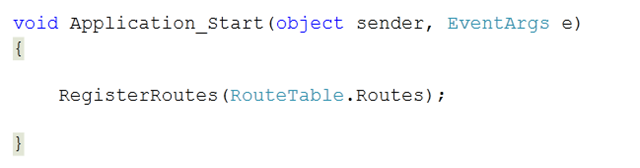
Global.ascx.cs
Step 6
Step 6a
Now open default.aspx
1. Drag two buttons from tool box and put on the page
2. Drag a text box and put on the page
3. Attach button click handler for both the button
Default.aspx
<%@ Page Title="Home Page" Language="C#" MasterPageFile="~/Site.master" AutoEventWireup="true"
CodeBehind="Default.aspx.cs" Inherits="RoutingDemo._Default" %>
<asp:Content ID="HeaderContent" runat="server" ContentPlaceHolderID="HeadContent">
</asp:Content>
<asp:Content ID="BodyContent" runat="server" ContentPlaceHolderID="MainContent">
<h2>
Welcome to ASP.NET 4.0 Routing Feature
</h2>
<asp:Button ID="btnAllProducts" runat="server" Text="All Products"
Width="129px" onclick="btnAllProducts_Click" /><br />
<asp:Button ID="btnSelectedProduct" runat="server" Text="Select Product"
onclick="btnSelectedProduct_Click" />
<asp:TextBox ID="txtSearch" runat="server" Width="167px"></asp:TextBox>
</asp:Content>
Step 6b
On click event of btnAllProducts

There is no input parameter.
On click event of btnSelectedProduct

Here input parameter to navigate is in txtSearch text box.
Default.aspx.cs
using System;
using System.Collections.Generic;
using System.Linq;
using System.Web;
using System.Web.UI;
using System.Web.UI.WebControls;
namespace RoutingDemo
{
public partial class _Default : System.Web.UI.Page
{
protected void Page_Load(object sender, EventArgs e)
{
// txtSearch.Text = "";
}
protected void btnAllProducts_Click(object sender, EventArgs e)
{
Response.RedirectToRoute("All Product");
}
protected void btnSelectedProduct_Click(object sender, EventArgs e)
{
Response.RedirectToRoute("Selected Product", new { name = txtSearch.Text });
}
}
}
Run the application
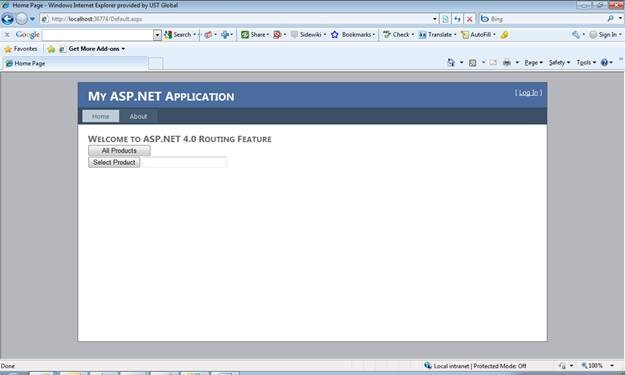
If you notice the above output and URL in address bar, it is
http://localhost:36774/Default.aspx
Now on clicking of All Products
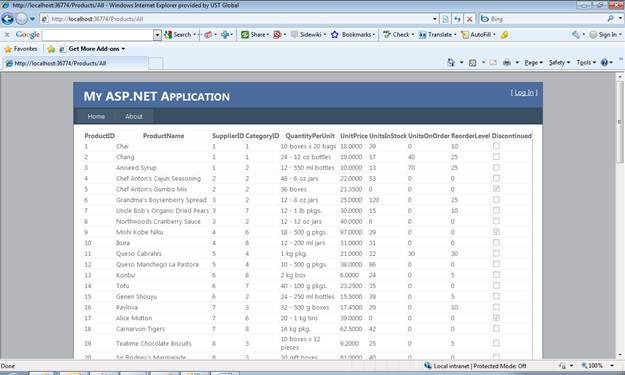
Now if you see the URL in address bar
http://localhost:36774/Products/All
And this URL is search engine optimized URL.
In the same way when you click on Select Product button it will navigate to
http://localhost:36774/Products/Selected/Chai
Chai is the product name.
Conclusion
In this article, we saw what Routing mapping feature of ASP.Net 4.0. I hope this article was useful. Thanks for reading. Happy coding.
Discover more from Dhananjay Kumar
Subscribe to get the latest posts sent to your email.
 Dhananjay Kumar
I have web app written in .net 4.0 using url routing. It works fine in the development environment in VS 2010.
But It’s not working after publishing to iis7.
on remote server i’m getting error
HTTP Error 404.0 – Not Found
The resource you are looking for has been removed, had its name changed, or is temporarily unavailable.
I tried in virtual directory and it’s not working.
any good suggestion?
i define route like
http://weblogs.asp.net/scottgu/archive/2009/10/13/url-routing-with-asp-net-4-web-forms-vs-2010-and-net-4-0-series.aspx
protected void Application_Start(object sender, EventArgs e) { RegisterRoutes(RouteTable.Routes);
1) in global.aspx.cs
protected void Application_Start(object sender, EventArgs e)
{
RegisterRoutes(RouteTable.Routes);
}
void RegisterRoutes(RouteCollection routes)
{
routes.Add(“test”, new Route(“Testing/{t1}/{t2}”,
new PageRouteHandler(“~/Default.aspx”)));
}
2) in web,config
3) also add HttpRedirection on IIS 7
but still it showing http 404 error
any suggestion
akash
Just i get the solution
then i try
I have this working in IIS 7.0 Integrated mode, but have failed to get the clean URLs to work IIS 7.0 classic mode.
akash chandankar
you have any idea
how to create url like this “www.subdomain.domain.com ”
eg.www.cricket.sports.com
eg.www.tennis.sports.com
etc
in web form routing
I am facing the same problem, Its working fine on localhost but on but production or development server.
Is there some web.config settings or handlers I am missing?
Please help