Objective
In this article, I am going to show how programmatically Content type could be fetched. How we could manage parent child relationship of the Content types.
Explanation
Step 1
I have created two Site Content types.
Note: To see how to create Content type sees my other articles on this site.
TestParent is parent content type and TestChild is chid content type.
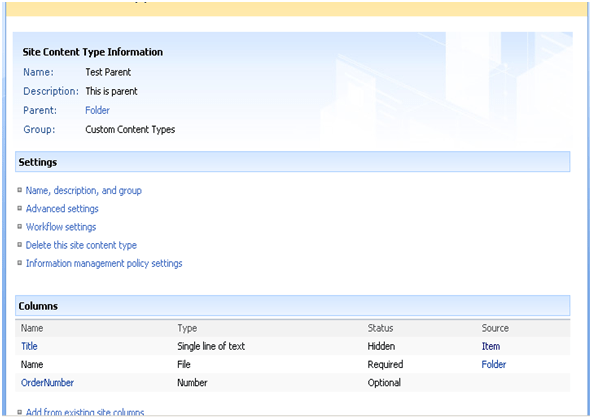
TestParent content type
- Parent of this content type is Folder
- I added one column called OrderNumber as Number
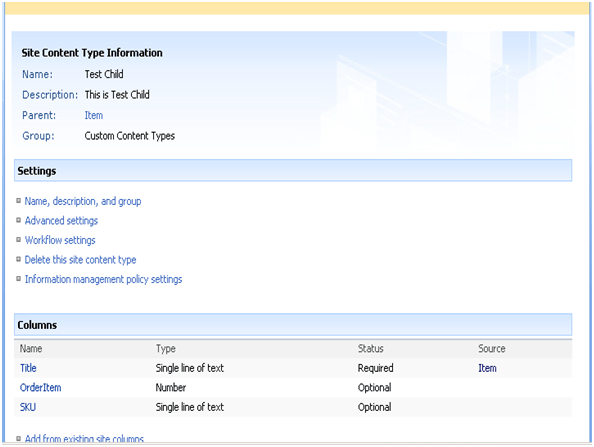
TestChild Content Type
- Parent of this Content Type is Item
-
I added two columns OrderItem and SKU
Step 2
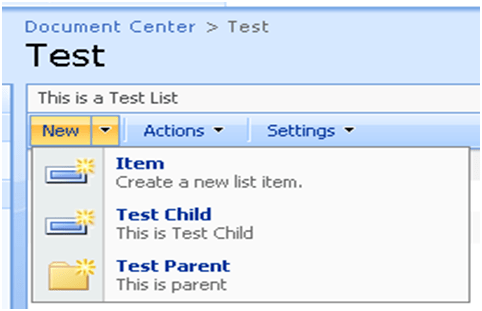
I associated these two content types to a SharePoint List called Test.
Note: To see how to attach Site Content type to SharePoint List see my other articles on this site.
Step 3
I am putting some data in the list. The way to put data in list is as follows
- First take Test Parent. Then fill all the column values for this.
- Inside Test Parent create a Test Child and fill the column values.
- Create more than one Test Child inside one Test Parent.
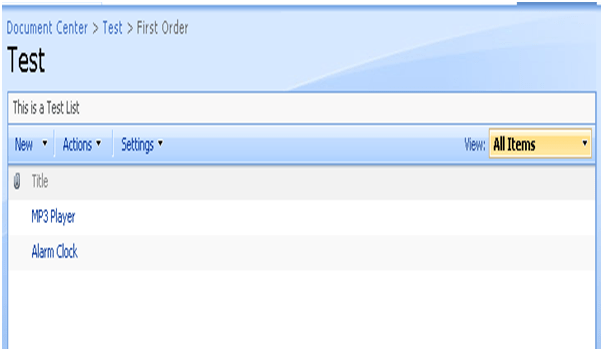
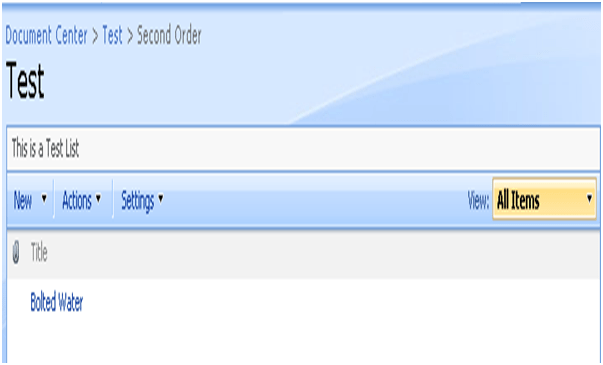
List is as below
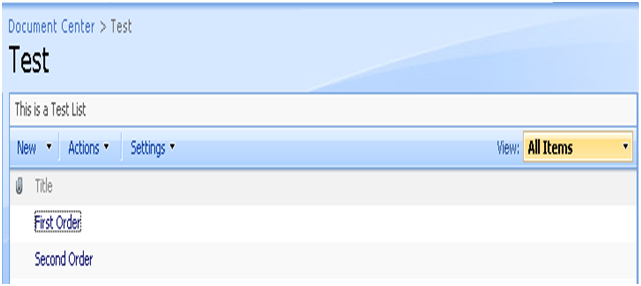
Inside First Order
Inside Second Order
Code to Fetch Content Type
I have created a console application and inside that I am going to display all the list items.
using System;
using System.Collections.Generic;
using System.Linq;
using System.Text;
using Microsoft.SharePoint;
namespace ConsoleApplication1
{
class
Program
{
static void Main(string[] args)
{
SPSite spsite = new SPSite(http://adfsaccount:2222/);
SPWeb mysite = spsite.OpenWeb();
SPList parentList = mysite.Lists[“Test”];
foreach (SPListItem i in parentList.Folders)
{
Console.WriteLine(“Order : {0}”, i[“Name”]);
Console.WriteLine(“Order Number : {0}”, i[“OrderNumber”]);
SPQuery orderitemsquery = new SPQuery();
orderitemsquery.Folder = i.Folder;
SPListItemCollection orderItems = parentList.GetItems(orderitemsquery);
foreach (SPListItem p in orderItems)
{
Console.WriteLine(“\t Line Item from Child {0} : {1} {2}”, p[“OrderItem”], p[“SKU”], p[“Title”]);
}
}
Console.Read();
}
}
}
Explanation of code
- SPSite is returning the site collection.
- SPWeb is returning top level site.
- SPList is returning the particular list. Test is name of the list here.
- I am fetching all the folders in the list using Foreach statement.
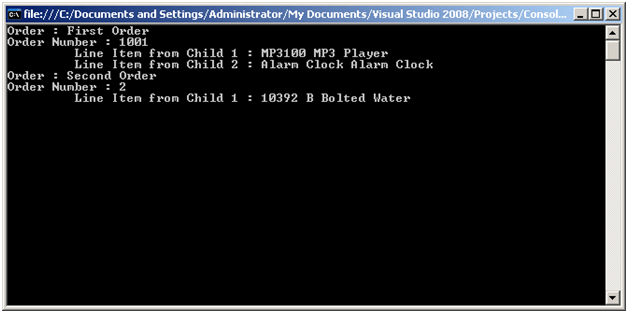
- I am retrieving the entire list inside a folder and printing that.
Output
Conclusion
In this article, I have shown how to retrieve parent child related content types using SharePoint object model. Thanks for reading.
Happy Coding
Discover more from Dhananjay Kumar
Subscribe to get the latest posts sent to your email.
 Dhananjay Kumar