In last post we discussed the way we could create WCF Message. If you go back and reexamine CreateMessage() function , you will find this function is overloaded with 11 different set of inputs.
It is common when you will create Message, you may use XmlDictionary class.
XmlDictionary class allows us to create a private pair of Key and Value. This key-value pair can be used to represent
- Element name
- Attribute name
- XML namespace declaration.
XmlDictionary class uses XmlDictionaryString class object to create key value pair. If you see below code, we are creating a XmlDictionary object and List of XmlDictionaryString.
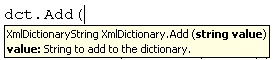
dct is object of XmlDictionary and while adding string value in this it returns XmlDictionaryString object.
XmlDictionary dct = new XmlDictionary();
            List<XmlDictionaryString> lstData = new List<XmlDictionaryString>();
            lstData.Add(dct.Add("Bat"));
            lstData.Add(dct.Add("Ball"));
            lstData.Add(dct.Add("Wicket"));
            foreach (var r in lstData)
            {
                Console.WriteLine("Key  = {0}  and Value = {1}", r.Key, r.Value);
            }
            Console.ReadKey(true);
If you run above code you will get output as below,
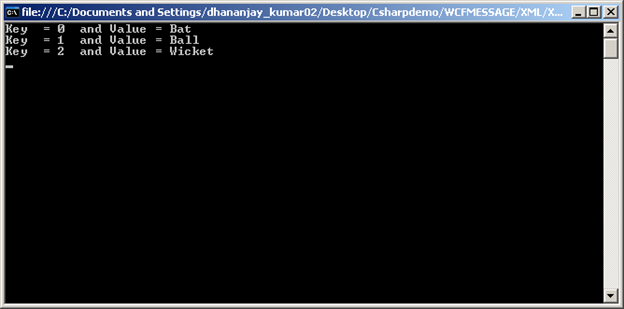
We are simply adding returned XmlDictionaryString object to list of XmlDictionaryString.
I hope now you have understanding of XmlDictionary class. In next post we will discuss some other important class required to understand Message in WCF.
Thanks for reading 
Discover more from Dhananjay Kumar
Subscribe to get the latest posts sent to your email.
 Dhananjay Kumar
2 thoughts on “Internal classes to understand WCF Message: XmlDictionary Class”