In this quick post I will show you,
How to fetch Mobile operator name in Windows 7 Phone?
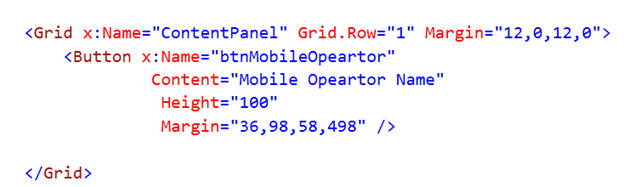
Design the page
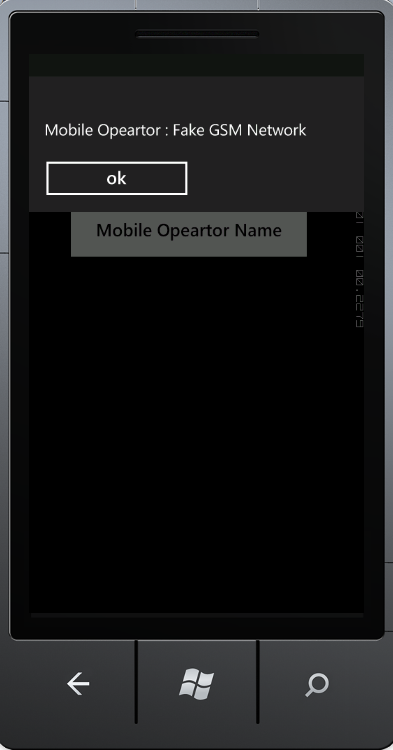
In content Grid, I have put a button. On click event of button, in message box we will display Mobile Operator Name
Write Code Behind
Add Namespace

On the click event of Button we will fetch operator name. Operator name can be fetched

Using calling CellularMobileOperator() function on DeviceNetworkInformation. After fetching , you can use it as string.
For your reference source code is as below,
MainPage.Xaml.cs
using System.Windows;
using Microsoft.Phone.Controls;
using Microsoft.Phone.Net.NetworkInformation;

namespace MobileOperatorName
{
    public partial class MainPage : PhoneApplicationPage
    {

        public MainPage()
        {
            InitializeComponent();
            btnMobileOpeartor.Click += new RoutedEventHandler(btnMobileOpeartor_Click);
        }

        void btnMobileOpeartor_Click(object sender, RoutedEventArgs e)
        {
            string operatorName = "Mobile Opeartor : ";
            operatorName = operatorName + DeviceNetworkInformation.CellularMobileOperator.ToString();
            MessageBox.Show(operatorName);
        }

    }
}
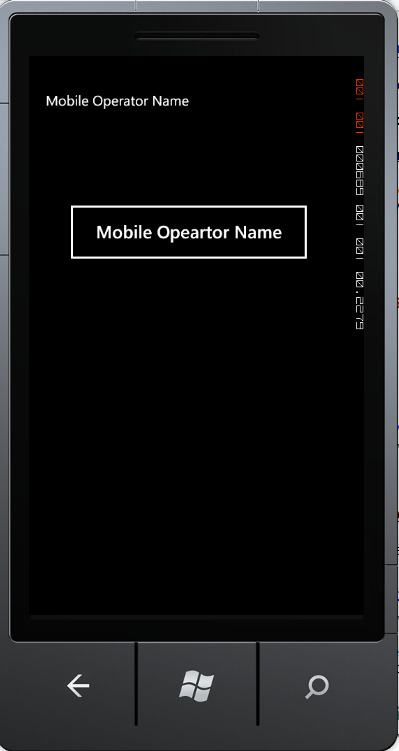
Running the Application
Press F5 to run the application.
I hope this post was useful. Thanks for reading 
Follow @debugmode_
Discover more from Dhananjay Kumar
Subscribe to get the latest posts sent to your email.
 Dhananjay Kumar
2 thoughts on “Fetching Mobile Operator Name in Windows 7.1 Phone [Mango]”